Sleep Breeze
Bluetooth wake-up light mobile app
I am the developer behind SleepBreeze [PL], a sunrise alarm lamp designed to simulate natural daylight and support a gentle wake-up experience. The lamp gradually increases brightness and color temperature in the minutes leading up to the alarm.
I designed and implemented a production-ready, cross-platform mobile application in React Native (Expo) that controls the device over Bluetooth Low Energy (BLE). The app supports both iOS and Android and has been shipped to first users on the Polish market.
Key features
- Bluetooth LE device discovery, pairing, and reconnection
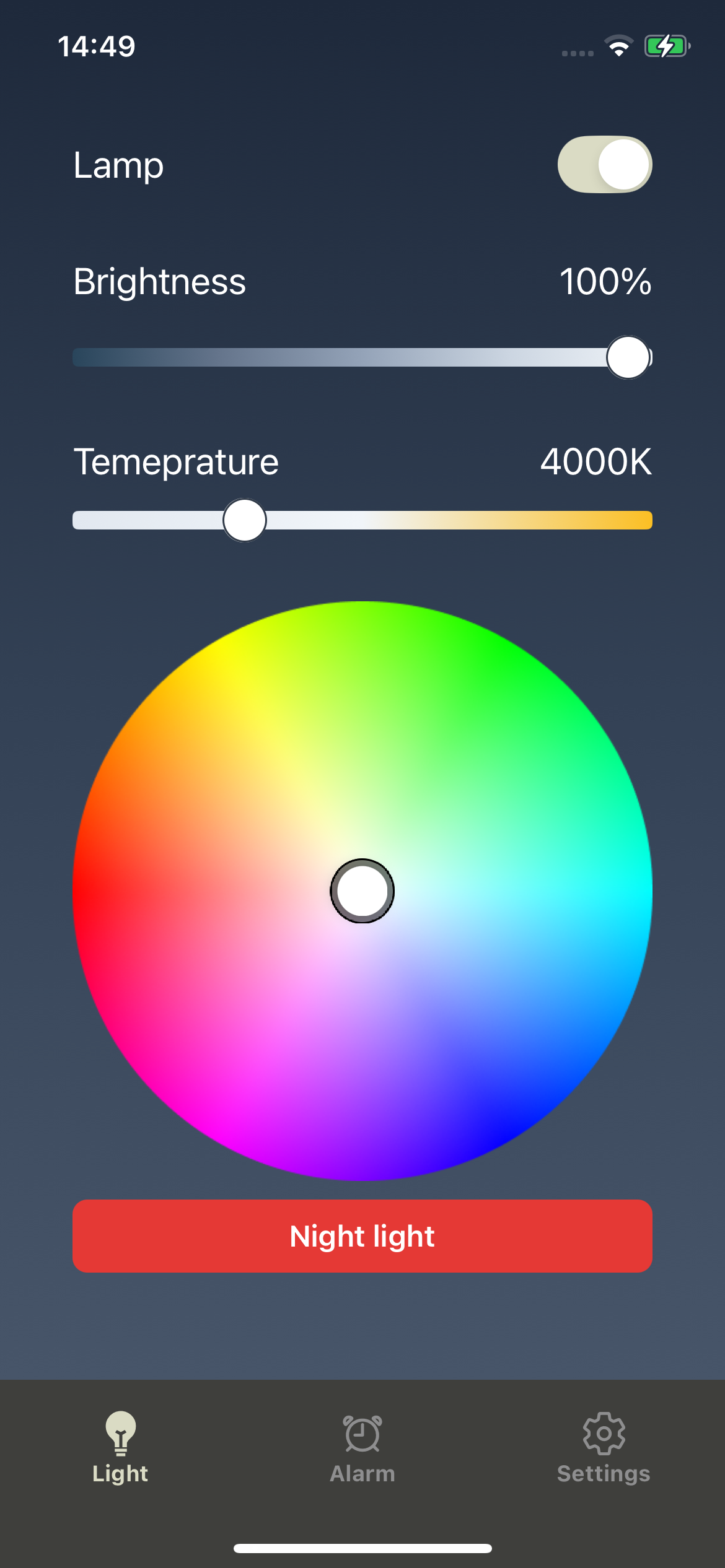
- Full light control: power, brightness, color temperature, and RGB (where supported)
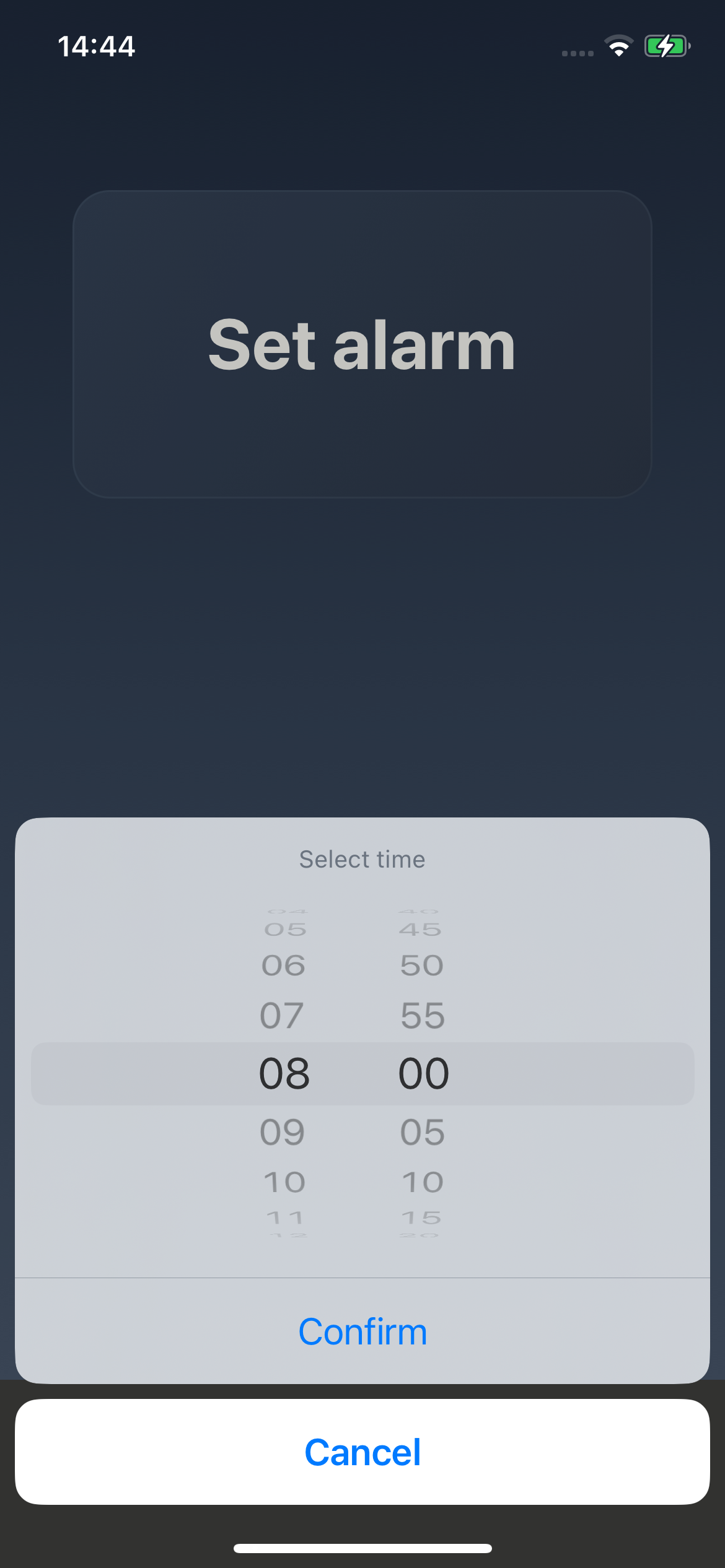
- Sunrise alarm with gradual light activation starting 20 minutes before wake-up time
- Synchronized sound alarm triggered at full brightness to complement sunrise wake-up


Links
Tech stack
- React Native
0.79 - Expo SDK
53 - react-native-ble-plx
3.2.1for connecting with Bluetooth LE devices - Lightbulb: Philips HUE, RGB, White-Ambience, Warm-white models
Retrospective
Bluetooth Low Energy integration
Working with undocumented BLE devices like Philips HUE, with no official documentation of communication protocols is never a pleasure. To understand inner workings of peripheral devices, I had to reverse-engineer the BLE protocols by sniffing Bluetooth packets and analysing them in Wireshark.
This experience thought me a lot about the BLE protocol itself, reverse engineering and low-level communication with IoT devices in general.
Implementing robust alarm functionality
One of the clients requirements was to have a reliable sound alarm functionality that would trigger along the sunrise alarm. I didn’t expect this to be such big of a challenge, but quickly realised that mobile OS-es are quite restrictive when it comes to background task execution. Especially developing a React Native app adds another layer of complexity and abstractions from the native APIs.
As the platforms don’t expose native APIs to schedule built in alarms from 3rd party apps, I had to find some working solutions. One of the initial approaches was to use repeated notifications (either local or push) with sound to wake up user on time. However, one of the clients requirements was to have the alarm sound gradually increase in volume for a longer period of time (e.g., 3 minutes) for a gentle wake-up experience. Unfortunately notification don’t support either long sound playback or volume control, and could be easly muted by the user.
Therefore, I resorted to media playback in the background as the music apps do. This would allow playing arbitrary sound files and provide volume control. However problem remains of having reliable background trigger to play the sound at the right time.
On iOS, I noticed that the JS runtime doesn’t get suspended if there is an active audio playback session. This key observation allowed me to implement a workaround: When user sets the alarm, the app immediately starts playing a “sleep music” audio file at very low volume in the background. This keeps the JS runtime active and allows to use plain setTimeout to schedule the proper alarm playback at the right time.
On Android however this approach didn’t work as JS runtime gets suspended more aggressively and the OS battery optimization depends on the manufacturer. Fortunately there is Android specific API of foreground services, which allows to run long-running background tasks. This is used by the apps like Uber to give you notifications about your ride even when the app is not in the foreground. Therefore I used that to implement a foreground service that gets started when user sets the alarm. Then I set a callback task to be executed at the alarm time, which starts the gradual sound playback and notifies the user.
To summarize, implementing reliable alarm functionality was more challenging that I expected, but I am happy with the final result.